
Do not rewrite the deal by hand after they say yes.
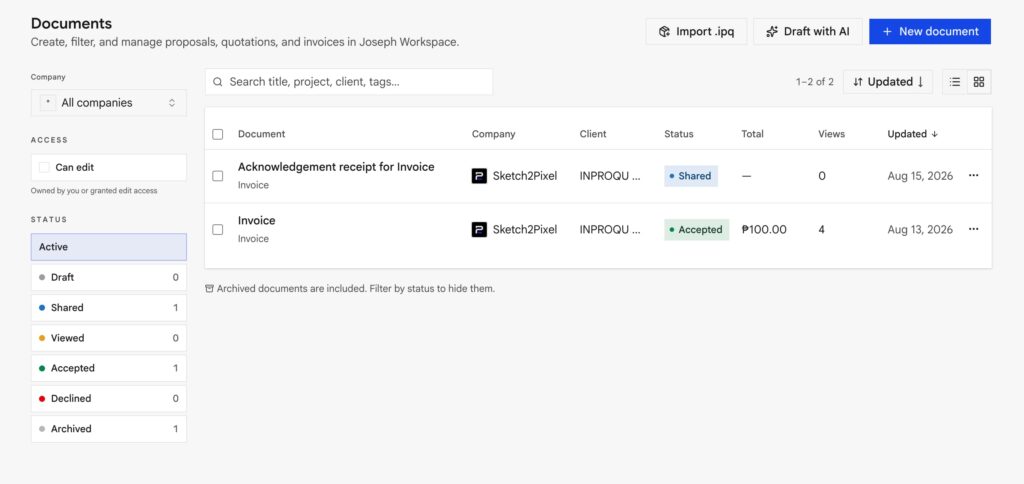
Convert lives on an accepted (or paid) document’s menu / builder when the rules below are met.
When Convert appears
| From | To | Required |
|---|---|---|
| Proposal or quotation | Invoice | Status accepted, and project total > 0 |
| Invoice | Acknowledgement | Accepted or payment paid / partial, and project total > 0 |
| Acknowledgement | : | None: this is the last document |
If Convert is hidden:
- The total is $0 or blank (including “free access” proposals).
- The proposal was never accepted.
- You are already on an acknowledgement.
- An older phone build may still show Convert; the server rejects it when the total is zero.
What you get
The new Invoice draft contains the heading, pricing, billing, and accept or prepared signature blocks. It does not copy the full proposal. Its title becomes Invoice for {subject}. Share it with the Invoice sent email template.
Acknowledgement is the receipt. Title becomes Acknowledgement receipt for {subject}. Share is view-only. Email template is Acknowledgement sent.
Typical receipt layout:
- Spacer set to Document only (gap on PDF, tight on the website)
- Centered heading
- Indented body text
- Received-by signature (not a client signer)
Amount received
If payment was partial, an amount dialog can set {{amount_received}}. Do not rewrite {{project_total}} to mean “money in.”
Wording can distinguish full / half / partial vs the project total.
Workspace helpers
- Optional Invoice and Acknowledgement templates on the workspace. Convert can use those instead of the built-in skeleton.
- Auto-ack when paid (Settings → Documents) can create the receipt when checkout completes. Human still reviews before you treat it as filed.
What else can run on accept (integrations)
Convert is how InProQu documents move. Accept can also fire hooks you connected:
- Google Calendar follow-up event
- Asana / ClickUp / Monday / Trello / Jira task or card
- Dropbox Sign if e-sign is required
- Thank-you email if you have their address
- Xero / QuickBooks draft invoice: coming soon
You still Convert here when you want an InProQu invoice or receipt. See How integrations work.
Dashboard
Pipeline numbers ignore the invoice so the same job is not counted twice.