
You do not have to retype every person. Connect a CRM or Google Contacts, then sync or pick.
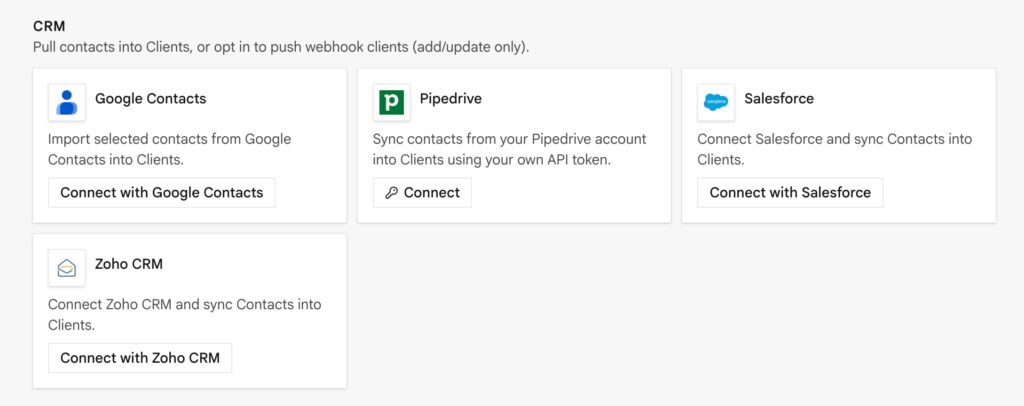
Integrations → the CRM / Contacts card → Connect. Then run Sync or Import.
This is the same Clients list you open from the sidebar. A synced contact becomes a normal client: attach them to a document, fill {{client_name}}, send.
Ways to get people in
| Path | Best when | Guide |
|---|---|---|
| New client / document Settings | One person | Add and manage |
| Google Contacts | Your address book | This page |
| HubSpot, Pipedrive, Salesforce, Zoho CRM | They already live in a CRM | This page |
| CSV | A spreadsheet export | Import and export |
| Incoming webhook / WordPress / chat agent | A form or bot should create them | Webhooks |
Google Contacts
OAuth, read-only. You choose contacts. They are not auto-selected.
- Connect Google Contacts.
- Open import, filter/search.
- Select the visible rows (or Select all visible), then Import.
While a search filter is active, only visible selected contacts import. If more came in than you wanted, you selected too broadly.
HubSpot, Pipedrive, Salesforce, Zoho CRM
Pull reads contacts into InProQu Clients.
Push (optional, off by default) writes add/update only when a client is created or updated via an incoming webhook. Push never deletes. Enable Push webhook clients to CRM on the card only if you want form/agent intake mirrored back to the CRM.
| CRM | How you connect |
|---|---|
| HubSpot | Private App token: crm.objects.contacts.read (add write if you enable push) |
| Pipedrive | API key |
| Salesforce | OAuth (production or sandbox login) |
| Zoho CRM | OAuth (same Zoho data center as your CRM) |
After Connect, run Sync. Match on email when you can so you do not duplicate.
After they are in Clients
- Attach the client on the document.
- One client, many documents (proposal → invoice → receipt).
- From the client’s document count, open Documents filtered to that person.
- Optional: export the Clients list to Google Sheets or Airtable.
Tips
- Person →
{{client_name}}. Org →{{client_company}}. - Email is what Share suggests for in-app send. Link-only share works without it.
- If a webhook created them with
external_id, later upserts update the same row instead of cloning.