
The tools people miss live in corners and shortcuts.
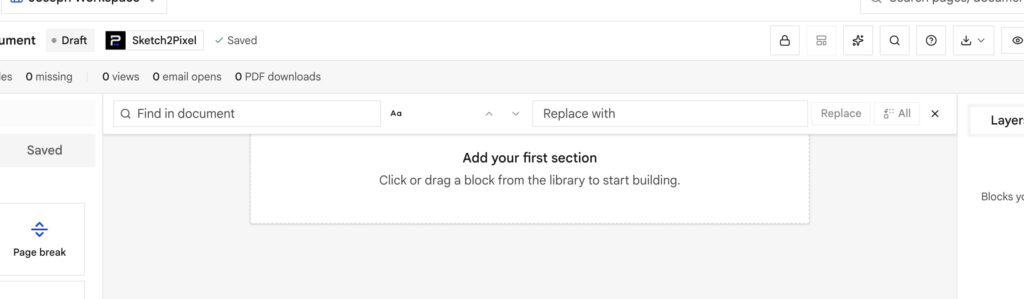
⌘F / Ctrl+F opens find and replace in a thin bar on the canvas. It searches your blocks, including Vars and write-in tokens. It does not search the app controls. Enter and Shift+Enter move through matches. Escape closes it and clears the amber marks.
Layers
⌘/Ctrl+click to multi-select. Copy and paste blocks across documents. Undo with ⌘Z.
Columns
Use Columns for Bill to beside invoice meta. Print and the website share stay side by side. Only the Mobile preview (and the phone share) stacks them.
Tables
Drag column edges to set widths (percentages that add up to about 100). Turn the header off for a label-value legal grid. Pick a darker border when the form needs ink.
Spacer apply-to
Spacer is not just empty air.
| Apply to | Result |
|---|---|
| All | Gap on website, paper, and phone |
| Document | Gap on PDF / print only: acknowledgements use this |
| Web | Desktop share only |
| Mobile | Phone share only |
If a gap appears only on paper, check this setting first.
Heading remove-bottom-gap
On by default so a heading sits tight on the next paragraph. Turn it off when a receipt needs air under the title.
Document settings people skip
On the document (not only the company):
- Paper size: A4, Letter, Legal, A5
- Letterhead on/off for this job (deeds often want it off)
- Comfortable vs compact density
- Body font
- Watermark: Draft, Confidential, or a short custom line
Insert Var inside a write-in
If the cursor is inside {{line:12}} and you insert client_name, InProQu rewrites it to {{line:12,value:client_name}}. It does not nest extra braces. Optional on → ,require:off.