
Keep Pricing as the full project fee. Use Payment schedule for deposit / final splits. Amounts follow the live project total.
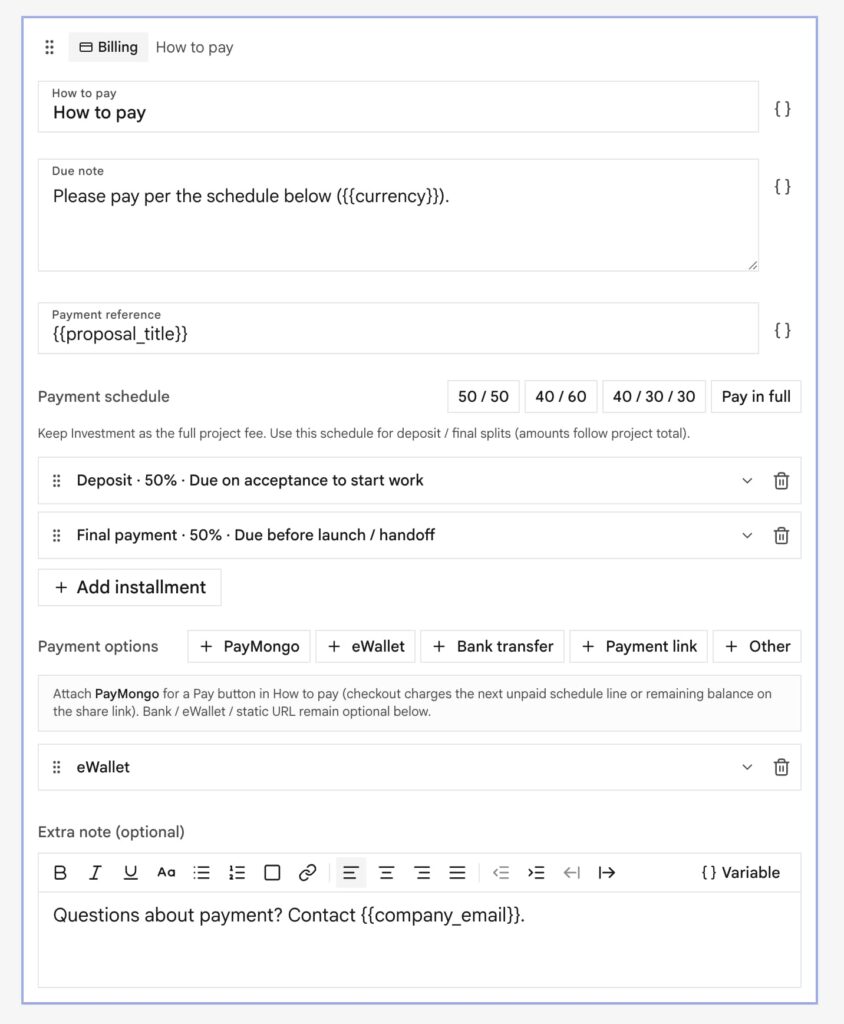
On the Billing block:
- How to pay: section title
- Due note: short sentence the client reads
- Payment reference: often
{{proposal_title}} - Payment schedule: 50 / 50, 40 / 60, 40 / 30 / 30, Pay in full, or custom rows
- Methods: bank, e-wallet, payment link, connected checkout
Due note follows the schedule
Clicking a schedule chip rewrites the Due note and keeps any extra sentence after it (for example a line about access details).
| Chip | Due note lead |
|---|---|
| 50 / 50 | 50% deposit to start, 50% before launch. |
| 40 / 60 | 40% deposit to start, 60% before launch. |
| 40 / 30 / 30 | 40% deposit to start, 30% at mid-project, 30% before launch. |
| Pay in full | Payment in full on acceptance. |
You can still edit the Due note after. If the note still looks like an auto schedule sentence, changing an installment percent updates it. A fully custom note (for example “Due on receipt”) is left alone until you click a chip again.
Methods
| Preset | Typical fields |
|---|---|
| eWallet | Name + mobile number |
| Bank transfer | Bank, account name, account number |
| Payment link | Static URL (optional). Connected checkout does not need this |
| Other | Free-form instructions |
| Connected checkout | Stripe / PayPal / PayMongo / Maya chips when those integrations are connected |
You can attach more than one processor. Put account numbers only in methods. Do not paste a second account list into instructions.
Instructions HTML is for short policy (late fees, invoice on request), not a duplicate of the account table.
On the public link
The client can check out without accepting first if live buttons are attached.
| Payment state | What they see |
|---|---|
| Unpaid | Pay (or the first schedule line) |
| Partial | Pay remaining: or the next schedule line |
| Paid in full | Live checkout turns off. Bar says payment received |
Manual bank / transfer / static links can stay visible after paid so they still have your details.
Plan picker
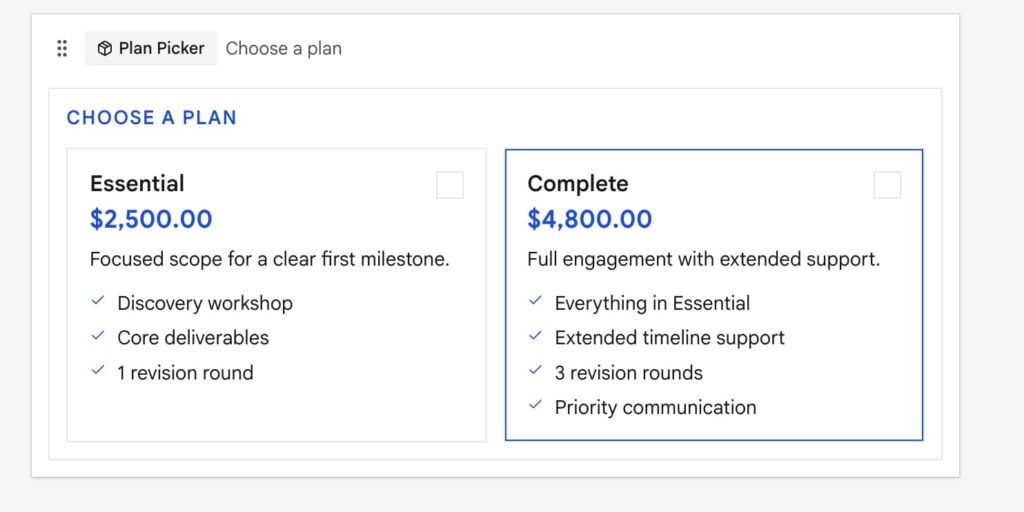
Let the client choose a package, then pay. Highlight one plan. Pricing / Plan picker can pull from the Knowledge catalog on Business+.
Balance-due reminders
Outreach balance due emails you when an invoice or partial payment still has remaining. Timing follows the follow-up interval. Mute the document if that job should stay quiet.