
InProQu · Proposal and Quotation Software
Create, send, and sign client proposals with InProQu
InProQu is an online document builder for freelancers, consultants, and service businesses. Create professional proposals and quotations, send a branded link, and collect client acceptance and electronic signatures in one place.
No Credit Card Required. Free to try for 14 days.
Connect Your Proposal Workflow with 50+ Integrations











Less Proposal Admin
Spend less unpaid time preparing client proposals
Build from a template, reuse saved sections, and update repeated details with smart variables. Keep your attention on the offer, not document formatting.
Drag-and-drop block builder
Reusable Section and Templates
Smart Custom Variables Sync
AI drafting and Creation (BYOK)
Built once. Ready on every screen.
Your proposal should look right wherever your client opens it
Create your proposal once. Present it as a structured document, a polished web experience, or a clear mobile view. Your client gets the right reading experience without you rebuilding the content for every format.
Detailed scopes, pricing, terms, signatures, and PDF export
A polished online experience that presents your offer clearly
Easy to review, accept, and sign from a phone

Turn existing files into editable proposals
Upload a brief, Word document, image, CSV, or scanned PDF. InProQu organizes the content into editable proposal blocks that you control.

Send more than a PDF
Give clients one professional link where they can review your proposal, accept it, sign it, and use optional booking or payment actions.
See when the proposal is opened and follow up with context.
See when the proposal is opened and follow up with context.

Your accounts stay yours
Connect your own ChatGPT, Claude, or Gemini account. Use your own Stripe, PayPal, PayMongo, or Maya Business account.
InProQu does not meter AI credits or hold client funds.
InProQu does not meter AI credits or hold client funds.
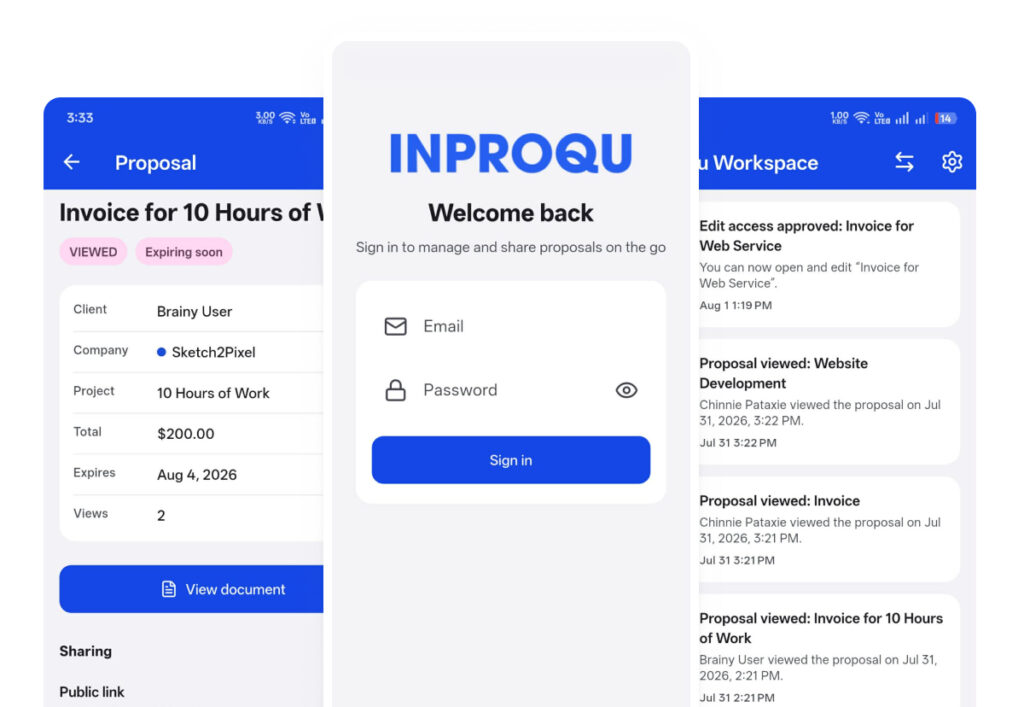
InProQu Mobile · Coming Soon
Your workspace, on the go
Access your documents and handle essential updates wherever you are.

FAQ
Frequently asked questions about InProQu
How does InProQu handle my connected accounts and client payments?
You connect your own AI, email, and payment accounts. API keys, OAuth tokens, SMTP passwords, and webhook secrets are stored encrypted and are not displayed again after saving.
AI requests go to the ChatGPT, Claude, or Gemini provider you connect and remain subject to that provider’s terms. Payments are processed through your Stripe, PayPal, PayMongo, or Maya Business account. InProQu never holds client funds.
You review every proposal before it is shared. Cloud and customer-hosted deployment options are available for different infrastructure and compliance requirements.
Do I need to connect AI before using InProQu?
No. Templates, saved sections, variables, pricing, branding, and manual editing work without AI. Connect ChatGPT, Claude, or Gemini before using AI drafting or source-file import.
Does InProQu include AI credits?
No. You use your own connected AI provider account. InProQu does not sell or meter separate AI credits.
Can InProQu import scanned PDFs?
Yes, after an AI provider is connected. Clear scans work best, and the editable result should be reviewed before sending.
Can I send proposals without connecting email?
You can copy and share the secure proposal link manually. To send proposal email or reminders from inside InProQu, connect SMTP, Gmail, Outlook, or Zoho Mail first.
Can clients accept and sign online?
Yes. Clients can accept or decline through the proposal link. When required, they can add a typed or drawn standard electronic signature.
Does InProQu hold client payments?
No. Payments are processed through your connected Stripe, PayPal, PayMongo, or Maya Business account.
Is it secure to connect Google to InProQu?
InProQu only accesses the Google services and permissions you approve. Your password is never shared with InProQu, and you can revoke access at any time. Depending on what you connect, InProQu can send proposals through Gmail, save PDFs to Drive, export data to Sheets, import Contacts, and add Calendar follow-ups.
How secure are my documents?
Security: workspace isolation, encryption at rest, private share links, HTTPS; AI only via the provider you connect.
Create your next proposal with what already works
Start with a template or build manually. Connect your AI provider when you want drafting and file import. Keep full control until the proposal is ready for your client.